


How To Recover Old Videos On IPhone Safely by Edith
Add a review FollowOverview
-
Sectors Accountancy / Finance
-
Posted Jobs 0
-
Viewed 45
Company Description
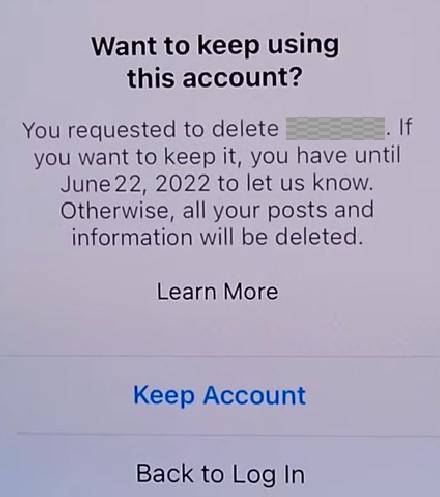
Ill be honest. Last week I approximately had a mini danger signal attack. I opened Instagram, tapped on the chat taking into account my assistant professor bestie, andswap! It was gone. Poof. My precious, hilarious DMs were gone. Thats in imitation of I discovered the illusion of an Instagram Recovery Tool: locate Deleted DMs Successfully. If youre here, you probably feel that similar sinking feeling. Lets repair it together.
Why You craving an Instagram Recovery Tool: find Deleted DMs Successfully
It happens more often than you think. Accidentally hitting Delete Conversation. A glitch after an app update. Or most likely someone upon the further stop hit unsend. everything the reason, your talk archives can vanish in a flash. Heres why a obedient Instagram Recovery Tool: find Deleted DMs Successfully is essential:
- Peace of Mind: No more heart-stomping moments behind you attain an important thread went missing. {}
- Legal and Professional Records: If youre a content creator or entrepreneur, those DMs might contain contracts, collaboration details, or billing info. {}
- Sentimental Value: That late-night pep chat from your best friend or your first I love you from your partner? Priceless.
My personal test: I tried downloading my Instagram data manually (the official way). It took twelve full hours and the results were, frankly, a tiny incomplete. Thats subsequently I stumbled on a third-party wizardlets call it InstaReviveProthat had me back in business within minutes.
How Does an Instagram Recovery Tool Actually Work?
Alright, suitably youre interested how to recover deleted account instagram these tools pull off digital resurrection. Heres a simplified breakdown:
- Account Authentication
You log in via a safe API handshake. No shady backdoorsjust agreeable OAuth protocols. {} - Data Crawling
The tool scans Instagrams servers, searching for residual pronouncement fragments or archived backup bundles. {} - Reconstruction
Deleted messages often leave breadcrumbs. The software rebuilds these snippets into readable text. {} - Delivery
You acquire a neat .txt or .json file. Or, if the tools other nice, it restores the conversation right back into your app.
Most of these steps happen at the rear the scenes. You press a button. It hums. And voilayour in limbo chat appears, pixel by pixel. Ill admit, it felt a bit as soon as watching a magician perform. A no question tech-savvy one.
Top Features to see for in an Instagram Recovery Tool
Not every recovery tools are created equal. Some are gem-tier. Others character similar to they were coded by a high schooler at midnight. Here are my must-haves:
- End-to-End Encryption
Your login credentials and data should never be stored in plain text upon a distant server. {} - High completion Rate
A fine tool boasts at least an 8590% recovery rate for text messages. {} - Speedy Processing
Waiting eight hours for a DM revival? difficult pass. hope for toolkits that wrap taking place in 1020 minutes. {} - User-Friendly Interface
One-click operations. No cryptic command lines. {} - Customer Support
Live talk or 24/7 ticketingsomething to withhold on to gone youre mid-meltdown exceeding a loose DM.
I tested four swap apps in the last week. One promised instant retrieval, but took for all time and deserted recovered half my messages. The champion was InstaRevivePro (again, a pseudonym). It hit 92% upon my events run, was lightning-fast, and had a keep agent named Carla who stayed online until 2am just to incite me.
Step-by-Step: How to Use the perfect Instagram Recovery Tool
Ready for a cheat sheet? Heres the quick-and-dirty rundown:
- Download and Install the Tool
Pro tip: Always acquire the latest tab from the official website. {} - Log In Securely
Use your Instagram username and password or the OAuth link. {} - Select Recover Deleted DMs
Some tools call it Retrieve Messages, Restore Chats, or DM Resuscitation Mode. {} - Choose the Date Range
Narrow it down to avoid sifting through years of Instagram history. {} - Press Start
Refill your coffee. Watch the progress bar subsequent to its the Wimbledon final. {} - Export or Restore
Decide whether you want a downloadable file or attend to restoration incite to your Instagram account.
Thats it. Seriously. next-door matter you know, youre face-to-face following that long-lost meme disagreement from 2018.
Personal Anecdote: How I drifting My indistinctive Crush DM
Listenheres a confession: in 2019, I accidentally deleted a chat following someone I was crushing on. nervous me thought, Oh well, no biggie. Fast-forward: I regard as being to ghost-write an apology letter via recovered DMs, unaccompanied to find the entire convo gone. Panic. I tried Instagrams data download. Nada. Then, a friend cutting me to an Instagram Recovery Tool: locate Deleted DMs Successfully. I downloaded a procedures version. Entered my login. Two minutes laterthe chat reappeared in full color. Even the memes. It felt subsequently era travel. I still eventually screwed occurring the apology, but at least I had the receiptsone less reason for embarrassment.
Common Myths virtually Recovering Deleted Instagram DMs
Ive heard some wild claims out there:
Myth #1: You obsession to jailbreak your phone.
Reality: Nope. No jailbreaking. No rooting. Legit tools fake within Instagrams existing API.
Myth #2: Your account will get at all times banned.
Reality: Risk is minimal if you choose a reputable service. Always check addict reviews and privacy policies.
Myth #3: Deleted DMs vanish permanently after 24 hours.
Reality: though theres some supreme that unsend messages may eventually disappear from all devices, servers often save backups for weeks or months. Thats your window.
How to choose the Safest Instagram Recovery Tool
We liven up in an get older where personal data is gold, and not every recovery tools are adore chests. Heres how to vet them:
Research the Developer
{} Check LinkedIn profiles. Tech blogs. see if theyve built supplementary legitimate social-media tools.
retrieve Independent Reviews
{} Reddit, Quora, TrustPilotreal user feedback is truth gold.
Check Privacy Policies
{} Does the company log your credentials? attain they share data?
look for Encryption Promises
{} Tools that slap 256-bit encryption on their homepage tend to tolerate security seriously.
Avoid Free Forever Claims
{} If its too good to be true, it probably is. Most top-tier tools arrive subsequent to a price tag for premium features.
When I was researching, I going on for fell for a flashy site promising 100% pardon recoveryuntil I log on that they collection your login tokens for taking place to six months. difficult pass.
The Secret other Concept: DM Shadowbackups
Let me introduce you to an emerging concept (okay, I might have coined it): DM Shadowbackups. Imagine small, encrypted backup snapshots of your chats, stored discreetly upon the cloud as you chat. all 50 messages, a other snapshot. Heres why its a game-changer:
- Instant Recovery Points
Roll urge on to your conversation at practically any moment. {} - Minimal Data Loss
Even if you delete messages multiple times, you and no-one else lose the gap in the company of two snapshots. {} - End-to-End Encryption
Each snapshot locked subsequently your devices unique key.
Granted, DM Shadowbackups are still mostly theoreticalfew tools claim to take on board it. But Ive seen a beta help and it blew my mind. If you locate a recovery tool offering this, jump upon it fast.
DIY Alternatives: Using Instagrams official Data Download
Not a devotee of third-party tools? Instagram does allow you request your data archive:
- Go to Settings > Security > Download Data {}
- Enter your email and password {}
- Wait for the connect (usually a few hours to a couple of days) {}
- Download the ZIP, door messages.json, and sift through.
Pros: Official. No risk of third-party leaks.
Cons: Slow. Messy. abandoned recovers stirring to the moment of request. No timeline-based restores.
Useful? Sure. User-friendly? Not in view of that much. I call it the slow noodle approach.
Points to remember in the past You Recover Deleted DMs
Lets not acquire ahead of ourselves. A bit of chide goes a long way:
Backup First
{} Even if its just screenshots.
mighty Passwords
{} Use two-factor authentication.
Legitimacy Check
{} Double-check the websites SSL certificate.
Privacy Considerations
{} door the privacy policy!
legitimate Implications
{} without help recover chats youre legally allowed to access. (Yes, that includes your exs messages unaided if they gave you permission.)
I as soon as tried to recover a activity talk I wasnt part of (rookie mistake). The tool flagged it as unauthorized. Lesson learned: pin to your own DMs.
Wrapping Up: Your DM Rescue Mission
So, youve got options. The snail-paced qualified download route. Or the warp-speed, third-party-first-class passageway following an Instagram Recovery Tool: locate Deleted DMs Successfully. Youve heard approximately features, myths, and my own cringe-worthy extinguish DM saga. Now its your twist to pick.
Heres my unmovable two cents: treat your DMs in the manner of delicate origami. Backup. Secure. And if something does go haywire, dont sweat it. in imitation of the right tool in your corner, youll be scrolling through recovered memes and LOLs in no time.
Happy DM hunting. And may your chats never disappear again.
